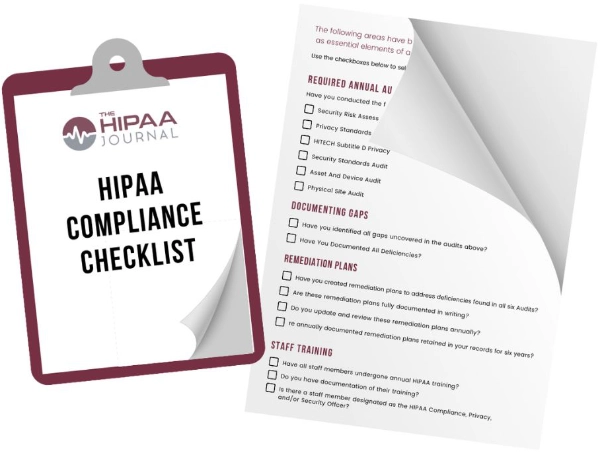
HIPAA Compliance Software Checklist
This HIPAA compliance software checklist below apply to any product under evaluation. Each one addresses a HIPAA requirement or a common point of failure in HIPAA compliance programs and focusses on how software should be used to achieve HIPAA compliance.
Does the Software Include a Guided HIPAA Security Risk Assessment?
The Security Rule requires an accurate and thorough risk analysis under 45 CFR 164.308(a)(1)(ii)(A). A guided HIPAA Security Risk Assessment meets this requirement through a step-by-step questionnaire that staff without compliance training can complete. Confirm that it covers protected health information in all forms, electronic and physical.
Does the Software Assess and Document Each Location Separately?
Procedures, layouts, staff, and vendors differ between sites. A risk analysis that applies one location’s answers to every location is not accurate and thorough. The software should document each site individually, with the same depth for one office or many.
Can Assessment Questions Be Assigned to Colleagues or IT Providers?
The person managing compliance rarely knows every technical answer. Software that assigns questions to employees, managers, or outside IT providers places each question with the person best placed to answer it. Answers improve, and the assessment keeps moving.


Does the Security Risk Assessment Scope and Tailor the Policies and Procedures?
Policies and procedures must reflect how the organization operates. Software that uses SRA answers to determine which policies apply produces the policies the organization needs and none it does not. Generic templates require staff to adapt each document and keep the set consistent by hand.
Does the Software Identify Compliance Gaps and Prioritize Corrective Actions?
A list of every SRA item, filterable by priority and safeguard category, shows what to fix first. Progress tracking over time records remediation. These records support the risk management requirement at 45 CFR 164.308(a)(1)(ii)(B).
How Does the Software Keep the Security Risk Assessment Current?
An SRA that no longer reflects current systems, staff, or vendors is a documented gap. Annual review is the widely followed best practice, and the Security Rule update proposed in December 2024 would make it a requirement. Look for short guided updates that follow up on earlier answers and recheck high-risk items, so the assessment stays current without a full rebuild each year.
Do Notifications Arrive Only When a Task Needs Attention?
Notifications should identify new tasks, overdue tasks, and changes in program status. Messages sent without a task behind them get ignored. When no notification arrives, no action is due.
Do Guided Workflows Prevent Skipped Steps?
Prerequisite-based workflows require each step to be completed before the next one opens. The responsible person builds a complete program without tracking progress manually. Missed requirements surface before an investigation, not during one.
Is HIPAA Guidance Written in Plain Language?
Owners and office managers who manage compliance alongside other duties need instructions they can act on. Plain-language guidance translates regulatory text into specific tasks. The organization supplies knowledge of its own operations, and the software supplies the interpretation of HIPAA.
Does the Software Show Where the Compliance Program Stands?
A compliance score or dashboard should show the status of each major compliance area, highlight gaps, and explain how to close them. A current view removes the need to guess whether the program is complete. No score measures the quality of the underlying entries or guarantees an investigation outcome.
How Long Does Workforce Training Take, and Is Completion Tracked?
HIPAA requires workforce training on the organization’s policies and procedures, with documented completion. Training that runs under 30 minutes, on demand or as a group session, keeps staff with patients. The software should record completion and remind staff with outstanding training.
Does the Software Provide and Track Business Associate Agreements?
A covered entity must have a business associate agreement with every vendor that handles protected health information on its behalf. When a vendor has no agreement, the covered entity must supply one. Confirm that the software provides ready-to-send agreements for electronic signature, accepts uploaded vendor agreements, and shows which vendors lack coverage.
Does the Software Include a Breach Risk Assessment Workflow?
An impermissible use or disclosure of protected health information is presumed to be a reportable breach unless a breach risk assessment shows a low probability that the information was compromised (45 CFR 164.402). The organization carries the burden of proof for its notification decision (45 CFR 164.414). A guided workflow takes staff through the four required factors and records the decision.
Is Access to Compliance Experts Included, Including During Investigations?
Breaches, patient complaints, and OCR requests for documents raise questions software cannot resolve alone. Confirm whether expert access is part of the subscription or billed as consulting, which products include it, and the hours it is available. Investigation support from a software vendor is not legal advice and does not replace counsel.
Does One Subscription Include Every Required Capability?
Some vendors place required features in higher pricing tiers. Confirm that the SRA, policies, training, business associate agreement management, breach documentation, and expert support sit in a single subscription. HIPAA compliance software should be judged on the depth of its HIPAA functions, not on bundled unrelated programs.
Which HIPAA Compliance Software Meets Every Item on This Checklist?
Abyde meets all 15 items for independent healthcare practices without a dedicated compliance department. Its guided HIPAA Security Risk Assessment scopes and tailors the entire program, location by location, and the year’s requirements take about 2 to 3 hours. Short monthly updates of about 5 to 10 minutes keep the SRA current without a rebuild. The full-suite subscription includes compliance experts from 9 a.m. to 5 p.m. Eastern who have supported more than 250 federal and state investigations.

FREE BUYER'S GUIDE
How To Choose Compliance Software
Get our comprehensive buyer's guide to purchasing HIPAA compliance software for your organization
A link to our free buyer's guide will be sent to your email address
Your Privacy Respected
HIPAA Journal Privacy Policy
HIPAA Journal featured on